LAHORE – Punjab Police has shared a simple way for motorists to check their traffic fines online without visiting a police office, making it easier to verify outstanding e-challans directly from a smartphone.
In a public awareness message issued on Tuesday, October 27, 2026, Punjab Police encouraged vehicle owners to use the Punjab Safe Cities Authority’s (PSCA) Public Safety App to access their traffic violation records.
The Punjab e-challan check online facility allows motorists to search for fines using their vehicle registration information and view available challan details from home.
The service is available to Android and iPhone users and forms part of PSCA’s existing digital public safety platform.
How to Check Punjab E-Challan Online Using Your Mobile Phone
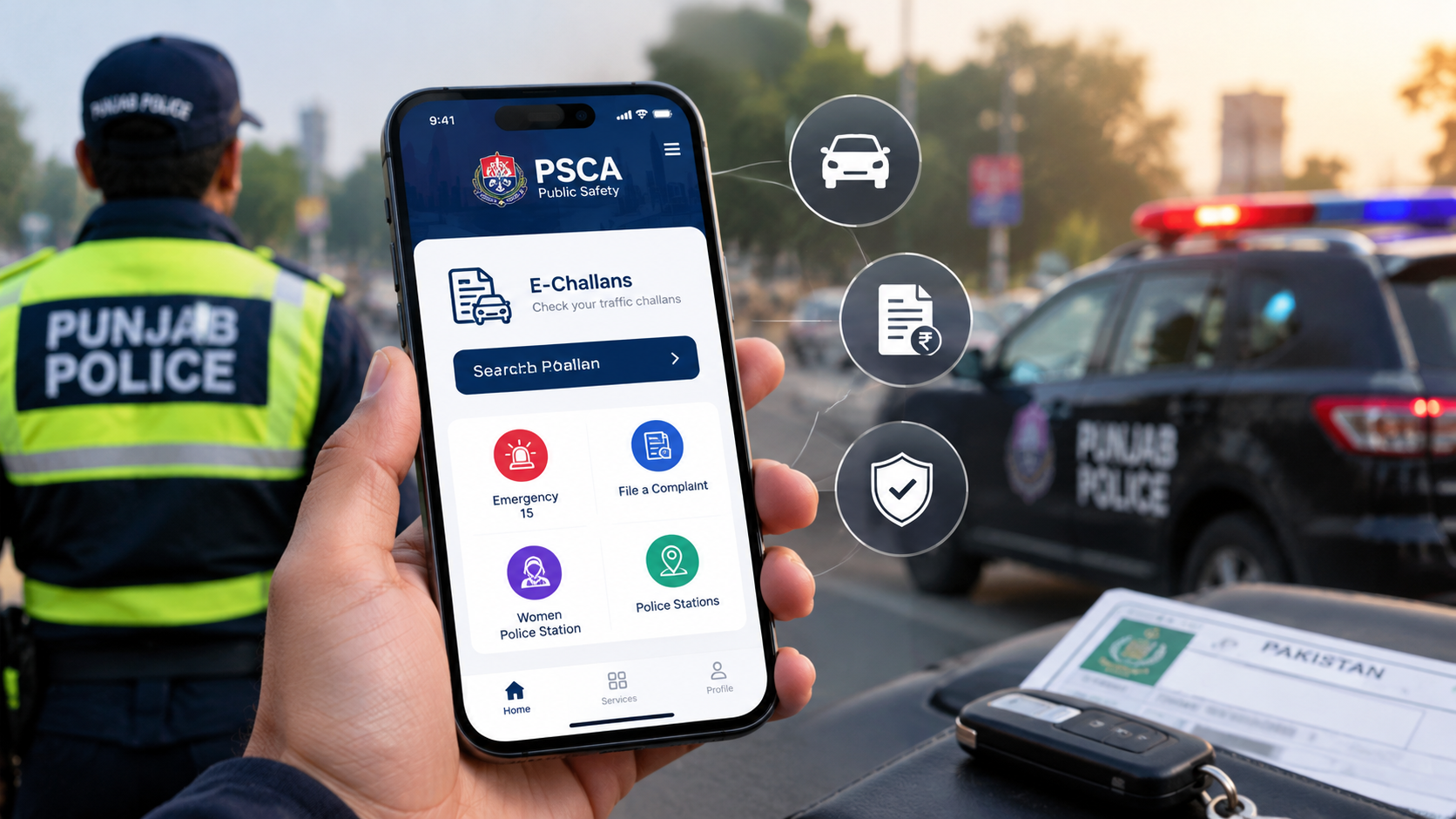
Motorists can check their outstanding traffic challans through the official PSCA Public Safety App.
The process involves a few straightforward steps.
Step 1. Download the PSCA Public Safety App
Open the Google Play Store if you use an Android smartphone or the Apple App Store if you own an iPhone.
Search for “PSCA – Public Safety” and select the application published by the Punjab Safe Cities Authority.
Install the official app before proceeding.
Step 2. Open the App and Find E-Challans
Launch the application and complete any initial setup required.
Look for the E-Challans section on the home screen.
Select the “Search Challan” option to access the verification service.
Depending on the app version, the service may open the official PSCA challan verification page.
Step 3. Enter Your Vehicle Registration Number
Enter your vehicle’s registration number in the relevant field.
Make sure the information matches the number shown on your vehicle’s registration documents.
Incorrect registration details may prevent the system from retrieving the correct challan records.
Step 4. Enter Your CNIC or Chassis Number
The verification system also requires additional information to identify the vehicle.
Enter the registered owner’s 13-digit CNIC number or the vehicle’s chassis number, as requested.
Follow any additional verification instructions displayed on the screen.
Step 5. Search for Outstanding Traffic Challans
After entering the required details, submit your request.
The system will search for available e-challan records associated with the vehicle.
If a matching challan is found, you may be able to view its violation details, fine amount and payment status.
Step 6. Download Your E-Challan
The PSCA Public Safety App also supports downloading available e-challans.
Motorists can save a copy for their records or use the information when arranging payment through an authorised channel.
This makes it easier to keep track of traffic fines without making a separate visit to a police office.
Punjab E-Challan Check Online Without Downloading an App
Citizens who do not want to install the Public Safety App can also use the official PSCA website.
The Punjab e-challan check online service is available at:
https://echallan.psca.gop.pk/
To check a challan through the website:
- Open the official PSCA E-Challan System.
- Enter your vehicle’s registration number.
- Provide the registered owner’s CNIC or vehicle chassis number.
- Complete any verification requested by the website.
- Submit the details to view available traffic challans.
The online portal provides an alternative for users who prefer checking fines through a web browser.
Can You Check a Punjab E-Challan by CNIC?
Yes, the PSCA verification system accepts the registered owner’s CNIC as part of the search process.
However, users generally need to enter the vehicle registration number as well.
The system also accepts a chassis number instead of the CNIC.
This means motorists can verify e-challans using their number plate together with one of the additional identification details.
How to Pay a Punjab Traffic E-Challan
Checking an e-challan and paying the associated fine are separate steps.
Motorists can use authorised payment services, including ePay Punjab and supported banking channels, to settle eligible traffic fines.
Payments generally involve a Payment Slip ID (PSID), which identifies the transaction.
Drivers should follow the payment instructions attached to their challan and retain proof of payment.
They should avoid transferring money to personal accounts or using unofficial payment links.
What Other Services Does the PSCA Public Safety App Offer?
The Public Safety App provides more than traffic challan verification.
According to the Punjab Safe Cities Authority, the application includes several services designed to improve communication between citizens and emergency-response authorities.
These include:
- Police emergency assistance through Alert-15.
- Live chat and video support for citizen assistance.
- Filing and tracking complaints.
- Access to the Virtual Women Police Station.
- Child safety and missing-person assistance.
- Blood donation and blood request services.
- GPS-based police station information.
- Access to emergency contact numbers.
The application allows citizens to access several public safety services through a single digital platform.
Where to Download the Official PSCA Public Safety App
The Public Safety App is available free of charge through official mobile application stores.
For Android users:
https://play.google.com/store/apps/details?id=com.psca.ppic3.publicsafety
For iPhone users:
https://apps.apple.com/pk/app/psca-public-safety/id1492687730
Vehicle owners should confirm that the application is published by the Punjab Safe Cities Authority before installing it.
They should also avoid downloading unofficial installation files from unknown websites.
Punjab Police Warns Citizens to Use Official Platforms
As online traffic challan systems become more widely used, motorists should remain cautious about fraudulent messages and websites.
Scammers may impersonate government departments and send messages claiming that a traffic fine must be paid immediately.
Citizens should not enter their banking passwords, card details or other sensitive financial information on unfamiliar websites.
Instead, they should open the official PSCA application or directly visit its verified website to check whether a challan exists.
The Punjab e-challan check online facility offers a convenient way for motorists to verify their traffic records, review available fines and keep track of outstanding payments.
By using official services, vehicle owners can complete routine challan checks without unnecessary trips to traffic police offices.
Key Points:
- Punjab Police has reminded citizens how to check traffic e-challans online.
- The PSCA Public Safety App is available for Android and iPhone users.
- Motorists can select the E-Challans or Search Challan option to verify fines.
- The system requires a vehicle registration number and the owner’s CNIC or vehicle chassis number.
- Available challans can be viewed and downloaded through PSCA services.
- Citizens can also check fines directly at echallan.psca.gop.pk.
- The app provides emergency assistance, complaint tracking and other public safety services.
- Vehicle owners should avoid suspicious payment links and use official platforms only.
Read More:
For more such exclusive articles, follow Upfront .